
Voice control for Ableton Live
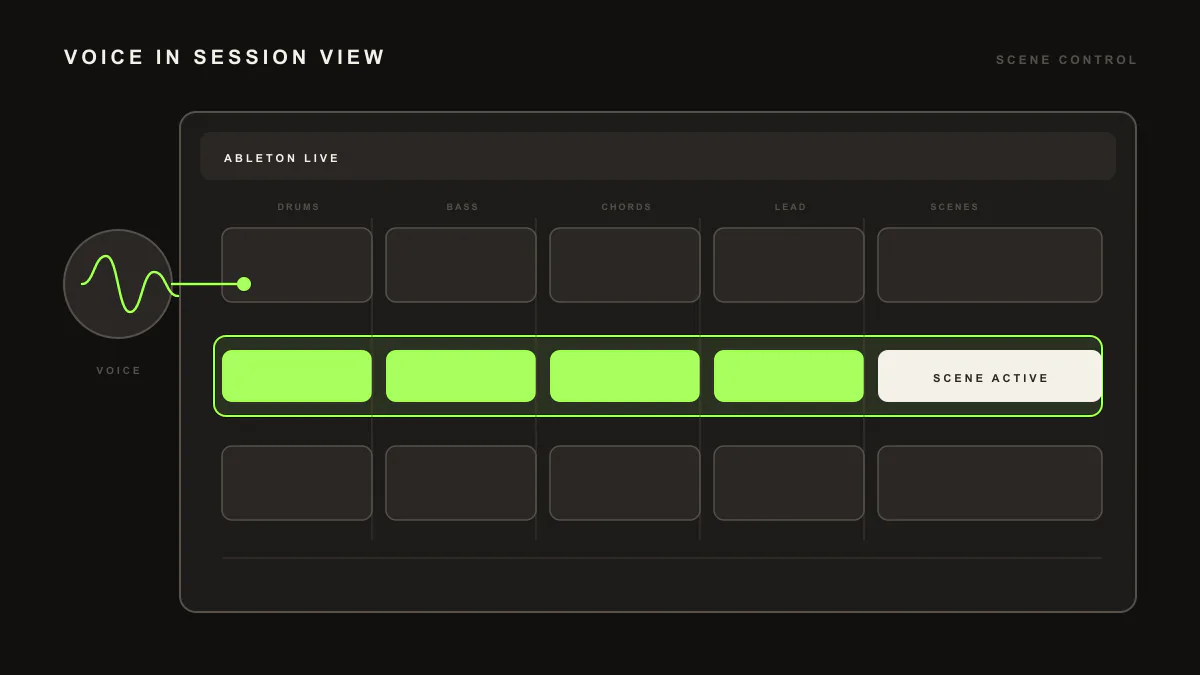
By voice, LIA performs the same shipped actions it does by text inside your Ableton Live session through LIA Bridge, the small helper app that connects LIA to Ableton Live. Ask out loud for editable MIDI, beats, session actions or mix suggestions. Push-to-talk is included from Starter up; Realtime Talk Mode is planned for launch from Studio up.
Last updated:
This page covers what voice control can do inside your Ableton Live session. For the setup walkthrough and turning voice on, see the voice control setup page. Realtime Talk Mode is planned for launch. Everything here runs through LIA Bridge, the small helper app that connects LIA to Ableton Live, and mirrors the full command catalog.
How it works
- Open LIA from your browser, on desktop or phone, and connect LIA Bridge to Ableton Live on the computer running Ableton.
- Start voice and speak a request. With push-to-talk you hold to talk, then let go, so LIA only listens when you ask it to.
- LIA returns editable MIDI or runs the session action in your Ableton Live set, the same result you would get by typing.
- Keep the conversation going: ask for a variation or a change and refine the idea in place.
- On Studio and up, Realtime Talk Mode is planned for launch as a live back and forth that would let you talk through the session without stopping to type.
What you can say
Voice mirrors the command catalog. Speak the same requests you would type and LIA returns editable MIDI and session actions.
- Create editable MIDI:
"Write a warm chord progression in E flat minor" - Build drums and beats:
"Build a heavy techno beat around 128 BPM" - Reference a style:
"Give me a bassline in the style of that artist" - Session actions:
"Create a new MIDI track and load that bassline into it" - Mix suggestions:
"Suggest EQ and compression moves for this bass"
Example prompts
Two you can say out loud, and the result you should expect in the session:
-
"Build a four bar house beat around 124 BPM with a rolling bassline"gives you editable MIDI clips for drums, bass, pad and lead in your Ableton Live set, ready to tweak. -
"Create a new MIDI track and drop that drum pattern into it"creates the track and writes the clip notes for you, so the pattern lands where you want it.
Mix suggestions stay suggestions by voice too: LIA proposes the moves and you choose which to apply. See the full breakdown in the command catalog.
What you need: a paid plan for push-to-talk voice (Starter up). Realtime Talk Mode is planned for launch on Studio and above. LIA Bridge connects to Ableton Live on macOS or Windows. Compare plans on pricing.
Limitation
Voice follows the same shipped catalog as text. It does what the command catalog lists and nothing beyond it. LIA writes and edits MIDI and runs session actions, but it does not export audio of any kind, so voice will not bounce or render a track for you. Push-to-talk voice is included from Starter up, and Realtime Talk Mode is planned for launch from Studio up.
Frequently asked questions
What can voice control do in Ableton Live?
It runs the same shipped catalog as text: create editable MIDI drum patterns, basslines and full beats from genre profiles, refine ideas in conversation, run session actions like creating tracks and writing clip notes, and ask for mix suggestions. Voice adds nothing beyond that catalog.
Which plans include voice control?
Push-to-talk voice is included on paid plans from Starter up. Realtime Talk Mode, the live back and forth conversation, is planned for launch from Studio up. See how the plans compare on the pricing page.
Do I need LIA Bridge for voice control?
Yes. Voice performs actions in Ableton Live through LIA Bridge on macOS or Windows, so the Bridge needs to be connected on the computer running Ableton while you work, exactly as it is for typed commands.
How do I turn voice on?
Open LIA from your browser, connect LIA Bridge to Ableton Live, then start voice and speak. The setup steps live on the voice control setup page. This page focuses on what you can do once voice is running.
Can voice do something text cannot?
No. Voice runs the same shipped catalog as text. It is a faster way to ask while your hands are on an instrument, not a separate set of capabilities.
Next: turn voice on in voice control setup, browse the command catalog, set up in getting started, or compare plans on pricing.