

ALL CAPABILITIES
AI copilot features for music producers
LIA helps music producers turn what they type or say into real actions in Ableton Live: editable MIDI, beats, track setup, session control, and mixing suggestions through LIA Bridge on macOS and Windows.
What LIA is built to do
-
What does LIA do today?
LIA turns producer intent into editable MIDI, beat building, track setup, session control, remote commands, and follow-up refinements in Ableton Live through LIA Bridge.
-
Why is LIA different from a song generator?
A generator exports audio. LIA works in the supported Ableton Live session, so the producer can edit notes, grooves, clips, tracks, and decisions after the copilot acts.
-
Who is LIA for?
LIA is for producers who want faster control without leaving their normal workflow. Ableton Live is supported today. For another DAW, join the waitlist for LIA support updates for that DAW.
Multiple ways to direct your Ableton Live workflow
-
Text Chat
Type commands in plain language. "Set kick volume to -6dB" or "add a compressor to the vocal bus." Works from the web app on any device.
All plans -
Voice Control
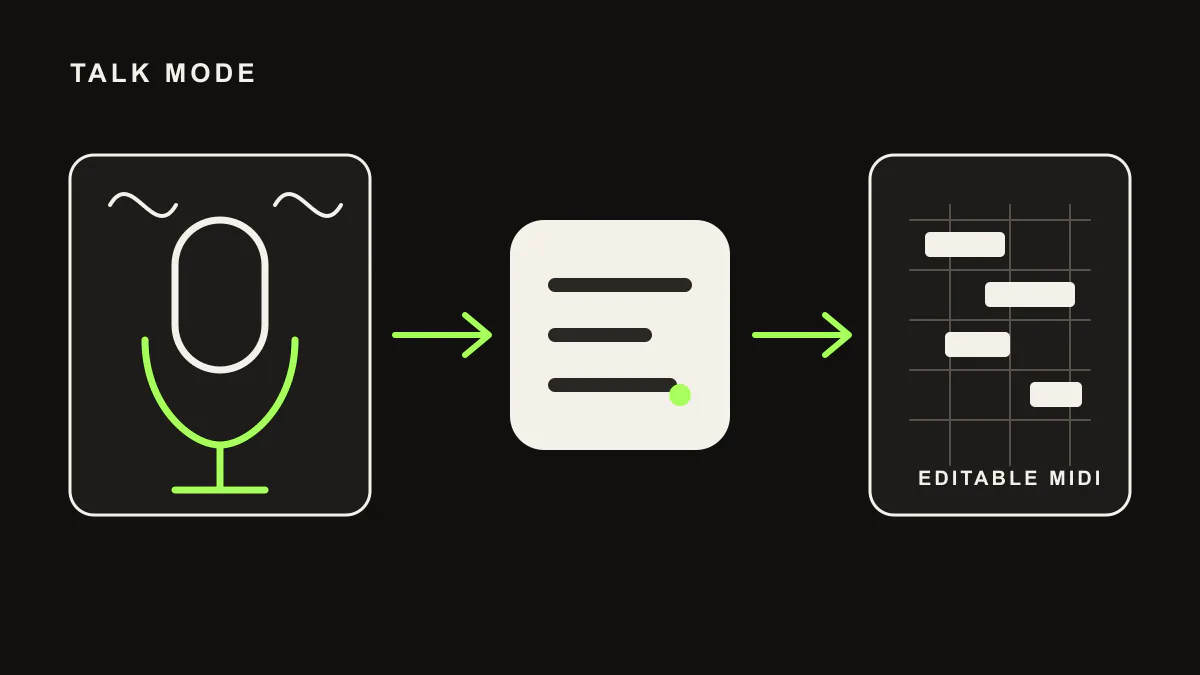
Talk Mode is planned for launch on supported plans. Use push-to-talk in the web app today. Speak your direction like you would to a collaborator and get material back while you play.
Studio+ -
Mobile
Use LIA from your phone or tablet browser today as a mobile PWA. A native mobile app, iOS app, and macOS app are in development and planned for launch.
Pro+
Voice Control
Talk Mode is planned for launch on supported plans. Use push-to-talk in the web app today. Speak your direction like you would to a collaborator and get material back while you play.
How LIA connects to Ableton Live today
-
Desktop Bridge
The lightweight LIA Bridge runs alongside Ableton Live on macOS and Windows for direct session control.
All plans -
Remote Access
Direct your connected Ableton Live session from the LIA web app on another device through the same account and Bridge.
Pro+ -
Web App Remote Control
Open the web app from another device and send commands through the same account. LIA routes them to your active Bridge.
Pro+
Production Capabilities
Not just a chatbot. LIA connects producer intent to editable work in Ableton Live through LIA Bridge today.
-
Mixing & EQ
Get suggested level, panning, EQ, and compression settings from a text prompt. You decide which to apply.
-
Sound Design
Instantiate instruments, load presets, and manipulate macros. "Load a dark Operator sub bass and map filter cutoff to LFO."
-
MIDI Generation
Generate chords, melodies, and drum patterns directly onto clips based on genre, key, and mood descriptors.
-
Remote Control
Step away from the desk. Keep the session moving from your smartphone: ask for the next part, review ideas, and line up material from the booth or the couch.
-
Multilingual
Talk to LIA in any language and it understands you. The interface itself is localized in 11 languages, from English and Italian to Japanese, Korean, and Chinese.
-
Accessibility Focus
Designed to make DAW control easier for visually impaired producers or those with limited mobility via reliable voice-to-text integration.
Two tiers of intelligence for different needs
- Standard AI
Fast & Reliable
Chat-based production guidance on the Free plan: song structure, arrangement ideas, and creative direction, no Ableton Live control included. Fast responses, low latency. Ableton Live control through LIA Bridge starts on the Starter plan.
- Premium AI
Advanced Understanding
Handles complex multi-step commands, chain operations, genre-aware MIDI generation, and contextual mixing decisions. Understands music production nuance. Available on Starter and above.
- On-Device Bridge
Native, Local, Always-On
LIA Bridge runs natively on your machine and talks to Ableton Live directly. It carries control data only, never your audio, and works offline for supported local actions that do not need LIA to think.
Get all three on day one
Standard AI is free. Premium and the on-device bridge are bundled with every paid plan.
Join the WaitlistLIA speaks every language. You talk, LIA understands, no matter what language you use.
UI available in these languages. Chat works in any language.
- ENEnglish
- ESEspañol
- DEDeutsch
- FRFrançais
- ITItaliano
- PTPortuguês
- NLNederlands
- JA日本語
- KO한국어
- ZH中文
Today: Ableton Live. Next: support updates through each DAW waitlist.
Ableton Live is supported today through LIA Bridge on macOS and Windows. Other DAWs are not live integrations yet. Choose your DAW below to join its support-update waitlist.