
Mixing suggestions in Ableton Live
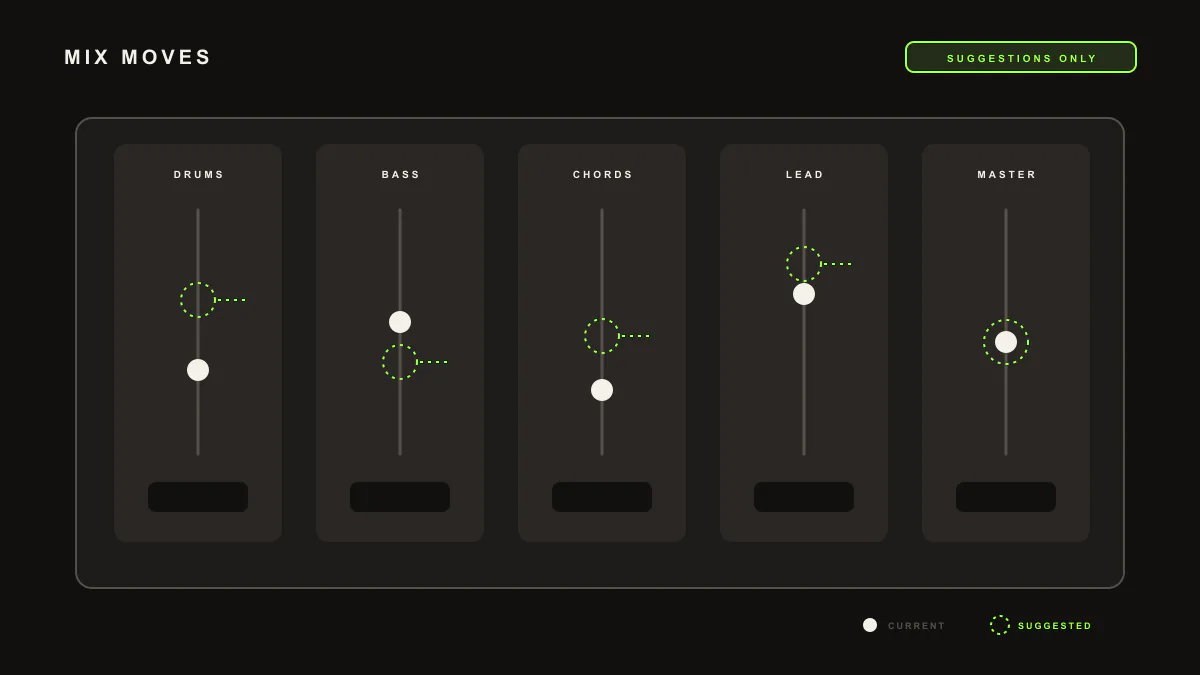
LIA lists mixing suggestions for your Ableton Live session, such as EQ, compression and effect moves. It suggests, you decide. On your request, Pro Tip Apply performs the reachable move through LIA Bridge by inserting a device or setting a parameter, so every change is yours to approve.
Last updated:
LIA helps you mix by listing practical suggestions, not by taking over. It describes EQ, compression and effect moves for your Ableton Live session in plain language, and you decide what to use. When you want a suggestion applied, Pro Tip Apply performs the reachable move through LIA Bridge, the small helper app that connects LIA to Ableton Live. It suggests, you decide.
How it works
- Open LIA from your browser, on desktop or phone, with your Ableton Live session open and LIA Bridge connected.
- Ask LIA how to improve a track, or ask for mixing ideas on a specific part.
- LIA lists suggestions, such as EQ, compression and effect moves, and explains the intent.
- You decide which ones to use. Nothing changes unless you ask.
- On your request, Pro Tip Apply performs the reachable move, inserting a device or setting a parameter inside your session.
Example prompts
how can I make the bass and kick sit better together
What you get. LIA lists mixing suggestions for the bass and kick, such as an EQ move to carve space and a compression setting to tighten the low end. It suggests, you decide, and nothing changes in your session until you ask LIA to apply a specific move.
suggest some EQ and effect moves for the lead, then apply the first one
What you get. LIA lists EQ and effect suggestions for the lead track and explains each one. When you ask it to apply the first, Pro Tip Apply performs the reachable move through LIA Bridge, inserting the device or setting the parameter inside your open Ableton Live session.
Requirements. A Free trial account works to get started and includes 10 total trial productions. LIA Bridge is required to apply a suggested move inside Ableton Live, so install it on macOS or Windows and keep it connected while you work.
Known limitation
LIA lists mixing suggestions and, on request, performs reachable device and parameter moves. It does not mix your track for you and does not export or bounce audio of any kind. Mixing suggestions work inside Ableton Live through LIA Bridge today, and support for other DAWs is on the waitlist.
Where to go next
- Getting started: connect LIA Bridge and create your first editable idea.
- Pro Tip Apply: how a suggestion becomes a change you approve.
- Command catalog: the full range of requests LIA understands inside Ableton Live.
- Facts: what LIA does and does not do, in plain terms.
- Pricing: compare Free, Starter, Pro, Studio, Studio Max and Founder.
Frequently asked questions
Does LIA mix my track for me?
No. LIA lists mixing suggestions such as EQ, compression and effect moves, and you decide which ones to use. It suggests, you decide. Any change happens only when you ask, so LIA never mixes your track on its own.
How does a suggestion become a change?
Through Pro Tip Apply. LIA lists the suggestion, and on your request it performs the reachable move inside your Ableton Live session through LIA Bridge, such as inserting a device or setting a parameter. You approve every change before it happens.
What kinds of mixing suggestions does LIA give?
Practical moves you can act on, such as EQ adjustments, compression settings and effect choices on a track. LIA describes the suggestion in plain language so you understand the intent before you decide whether to apply it.
Do I need LIA Bridge for mixing suggestions?
You can read suggestions in the chat without acting on them. To apply a suggested move inside your session you need LIA Bridge, the small helper app that connects LIA to Ableton Live, installed on macOS or Windows and connected.
Which DAWs do mixing suggestions cover?
Suggestions and Pro Tip Apply work inside Ableton Live today through LIA Bridge on macOS and Windows. Support for other DAWs is on the waitlist, so you can register interest and we will let you know as it becomes available.