
AI Music Assistant for Ableton Live: Music Production with Artificial Intelligence
Imagine being able to talk to your DAW. Not through buttons and menus, but in plain language. "Make the kick louder." "Add reverb to the vocal." "Set the tempo to 140 BPM." Just like that.
That is exactly what an AI Music Assistant for music production does.
What Is an AI Music Assistant for DAWs?
An AI Music Assistant for DAWs is software that understands natural language and translates it into precise commands for your DAW. You type or say what you want, and the system executes it.
This is not a music generator. It does not compose for you, and it does not replace your creative decisions. It is a tool: fast, precise, and always ready. Like having a sound engineer who responds instantly to every command.
The crucial difference from traditional plugins: you do not need to learn a new interface. You simply speak, in your own language, and the system understands you.
Why German Matters
Almost all music production tools only speak English. Interfaces, tutorials, commands, everything in English. For many producers in Germany, Austria and Switzerland, this is everyday life. But there is a difference between using a language and thinking in a language.
When you can say "lower the reverb on the pad by 3 dB" instead of searching for the exact English parameter name, your workflow becomes smoother. You are no longer translating in your head. You are simply producing.
LIA understands German natively. It is not an automatic translation from English. The system was designed to understand natural language in any language, with all its nuances.
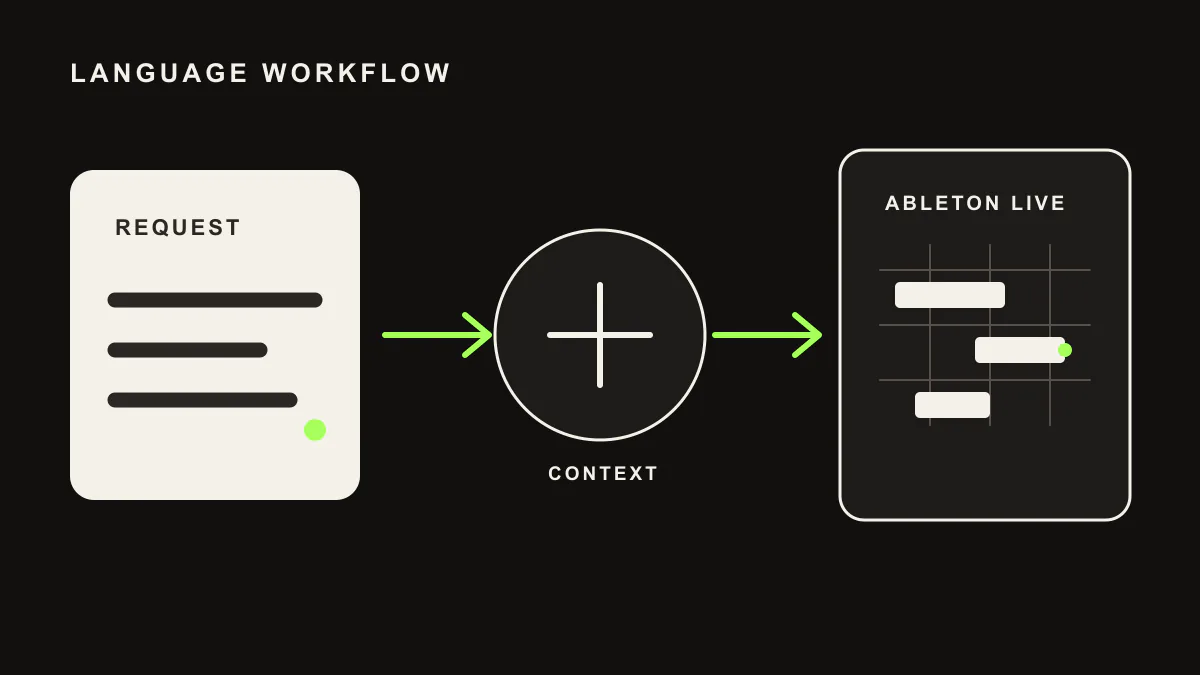
How It Works in Practice
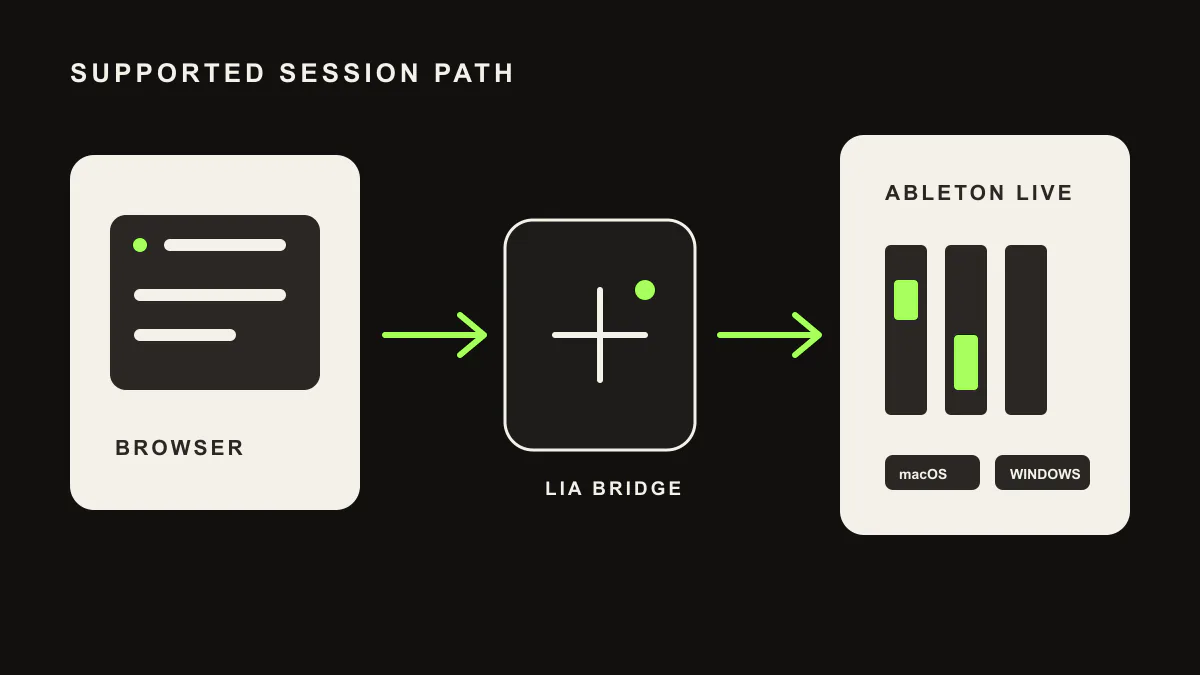
Direct Bridge support is currently Ableton Live on macOS and Windows. For this DAW, use exportable MIDI and ideas or join the waitlist for support updates.
The process is simple:
- Open your DAW with the LIA Bridge active
- Open the LIA chat (browser, phone or web app)
- Type or say what you want to do
- LIA executes the command and confirms what happened
Examples of real commands:
- "Mute the hi-hat track"
- "Add a compressor to the drum bus"
- "Duplicate the bass clip and move it to bar 33"
- "What is the current tempo?"
- "Set the volume of track 3 to -6 dB"
- "Create a new MIDI track with a pad synth"
You can also ask questions: "How many tracks are in the project?" or "What effects are on the vocal track?" LIA reads the current state of your session and responds.
Control Ableton Live from Your Phone
One of the strongest features is remote control. You can send commands to your connected Ableton Live session from your phone, tablet, or any device with a browser.
This means:
- Adjust the mix from the sofa while listening on headphones
- Control the session from another room
- Make quick changes when you are on the go
- Manage monitoring during a vocal recording
The connection is encrypted and secure. Your audio files stay on your computer. LIA only sends control commands.
Which DAWs Are Supported?
LIA works with the four most widely used DAWs in the world:
Ableton Live has the most comprehensive support: over 200 API commands cover practically every aspect of the software.
FL Studio is not a live integration yet. Use LIA for exportable MIDI ideas and production notes while direct Bridge support remains Ableton Live on macOS and Windows.
Logic Pro is not a live integration yet. Use LIA for exportable MIDI ideas and production notes while direct Bridge support remains Ableton Live on macOS and Windows.
Cubase is not a live integration yet. Use LIA for exportable MIDI ideas and production notes while direct Bridge support remains Ableton Live on macOS and Windows.
The key point: you describe what you want in plain language, the same way every time. Direct Bridge control is Ableton Live on macOS and Windows today; the other DAWs are not live integrations yet.
Who Is It For?
The AI Music Assistant is not just for beginners. Experienced producers benefit the most, because they know exactly what they want and need a faster way to get it done.
Beginners: the assistant helps you navigate the DAW without getting lost in menus.
Intermediate producers: you speed up your workflow. Instead of searching for a parameter, you simply ask for it.
Professionals: remote control is the game changer. Manage complex sessions from your phone, do quick checks between appointments, keep the creative flow going even without being at your desk.
The Future of Music Production
AI in music does not mean replacing musicians. It means giving musicians better tools. An AI Music Assistant for your DAW is like the step from typing to voice control. The result is the same, but the process is radically faster and more natural.
Start producing differently. Start talking to your DAW.
LIA is an AI Music Assistant for Ableton Live on macOS and Windows through LIA Bridge. For other DAWs, use exportable MIDI and ideas or join the waitlist. Try it free at liaplugin.com