
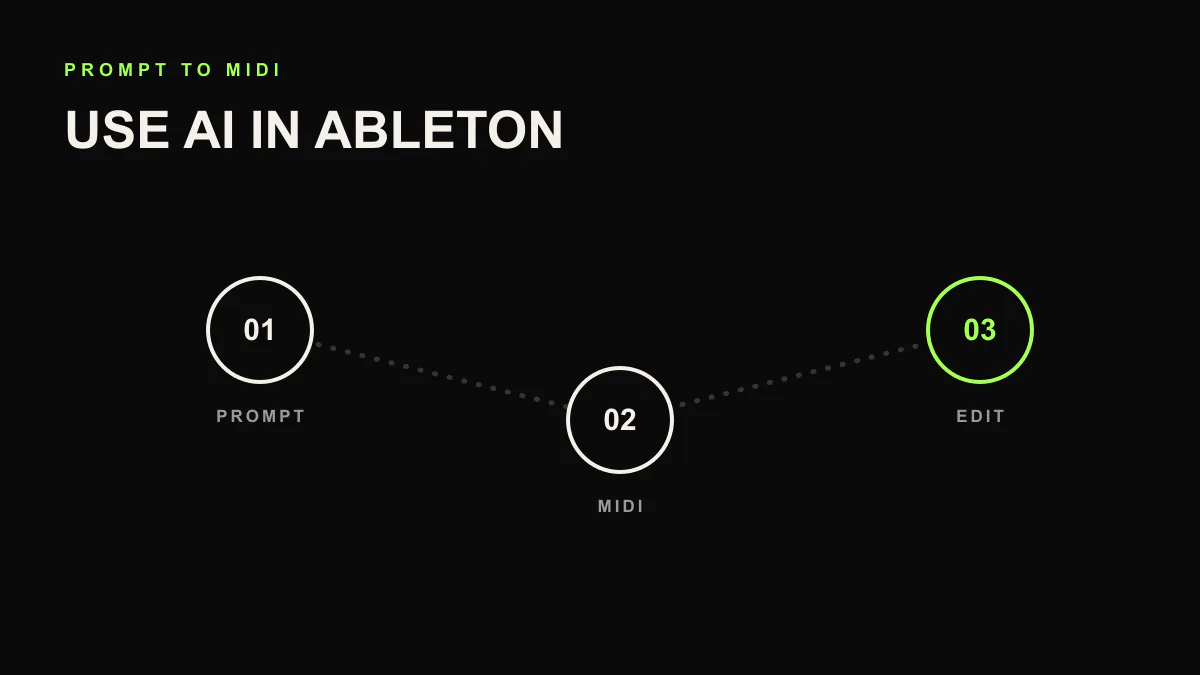
How to Produce Music in Ableton with AI (2026 Guide)
AI has moved beyond generating audio files in a browser tab. A new category of tools, AI music assistants, can now sit inside your DAW and help create editable musical material. If you produce in Ableton Live, this changes how quickly you can move from blank session to something you can shape.
This guide walks you through using LIA, an AI music assistant built for Ableton Live, to produce tracks faster without giving up creative control.
What Does "AI Music Production" Actually Mean?
There are two very different approaches to AI in music right now:
- Audio generators (Suno, Udio, Stable Audio): you type a prompt, get a rendered audio file back. You cannot edit individual tracks, change the arrangement, or adjust the mix. The output is final.
- AI music assistants (LIA): the AI works inside your DAW. It creates editable MIDI tracks, writes notes, sets tempo, and helps build starting points inside your existing project. You keep full control.
The assistant approach means everything the AI creates is editable. Every MIDI note, every instrument choice, every mixer setting. It all lives in your Ableton session as native tracks.
What You Need to Get Started
Before you begin, make sure you have:
- Mac (macOS 13 or later)
- Ableton Live 12+ (any edition, Suite recommended for more instruments)
- A modern browser (LIA's chat interface runs in the browser)
- A LIA account: sign up for free at liaplugin.com
Step 1: Download and Install LIA Bridge
LIA Bridge is a lightweight local app that connects Ableton Live to LIA's cloud AI. It runs on your machine and translates AI instructions into Ableton actions via the Control Surface API.
- Sign up at liaplugin.com
- Go to your Dashboard and click Download LIA Bridge
- Unzip the download and double-click
install.command - Follow the terminal prompt. The installer adds LIA Bridge to your system and registers it as a Control Surface
Step 2: Enable LIA Bridge in Ableton Live
Open Ableton Live (or restart it if it was already open). Then:
- Go to Preferences → Link/Tempo/MIDI (or Link/MIDI depending on your version)
- Under Control Surface, select LIA Bridge from the dropdown
- Set both Input and Output to LIA Bridge
- Close Preferences
You should see a brief confirmation in Ableton's status bar. LIA Bridge is now listening for commands.
Step 3: Open LIA Chat and Send Your First Prompt
Open LIA Chat in Chrome. If the Bridge is running correctly, you'll see a green "Bridge connected" indicator in the top bar.
Now type your first prompt. Here are some good starting points:
Create a chill lo-fi beat at 85 BPMBuild a dark techno loop with a heavy kick and acid basslineMake an ambient pad progression in D minorSet up a drum rack with a trap pattern at 140 BPM
Hit Enter. Within about 50 seconds, you'll see editable material appearing in your Ableton session: MIDI clips, notes, and tempo or structure changes where supported.
Step 4: Edit, Refine, and Iterate
Everything LIA creates is standard Ableton content. After the initial generation:
- Edit MIDI notes: double-click any clip to open the piano roll and adjust notes, timing, velocity
- Swap instruments: replace any loaded instrument with your own presets or third-party plugins
- Ask LIA for changes: type follow-up prompts like
Make the hi-hats busierorAdd a bass drop in bar 9 - Mix and process: add your own effects, dynamic movement idea, EQ. LIA's output is just the starting point
The goal is not to replace your production skills. It's to skip the blank-canvas phase and start with something you can shape.
Tips for Getting Better Results
Be Specific About Genre and Feel
Instead of "make a beat," try "make a dusty boom-bap beat at 90 BPM with a jazzy piano sample." The more context you give, the better the output matches your vision.
Use Follow-Up Prompts
LIA remembers the context of your session. After the first generation, you can say "add a B section with more energy" or "try a sub-bass direction." Iterating through conversation is faster than starting over.
Choose the Right Model
LIA supports multiple AI models behind the scenes. For quick ideas, lightweight models are fast. For more complex musical reasoning, pick a higher-capacity model. You can switch models per message in the chat interface.
Use Reasoning for Complex Tasks
The Reasoning slider in LIA chat controls how deeply the AI thinks before acting. Set it higher for longer sections and genre-specific choices. Keep it low for simple one-shot tasks, such as adding a hi-hat pattern or changing tempo.
Real Examples from the Community
Check out the Demos page to hear what other producers have built with LIA. From lo-fi hip hop to cinematic scoring, the variety shows how flexible the assistant approach is compared to fixed-output generators.
What LIA Does Not Do
To set expectations clearly:
- LIA does not generate audio. It creates MIDI and loads Ableton instruments. All sound comes from your DAW.
- LIA does not finish a mix for you. It sets up tracks and basic levels, but mixing is still your job (or your mixing engineer's).
- LIA does not work offline. The AI models run in the cloud, so you need an internet connection.
- LIA Bridge supports Ableton Live 12+ on macOS and Windows. Other DAWs are waitlist workflows, with no promised control date.
Getting Started for Free
LIA offers a generous free tier to get started with no credit card required, plus premium plans for producers who need more power and advanced AI models. Check out the latest plans at liaplugin.com/pricing.
/>Frequently asked questions
Do I need to install a plugin to use AI in Ableton?
Not with LIA. You connect LIA to Ableton Live through the LIA Bridge app. Everything runs inside your session without extra plugins.
Can AI generate MIDI in Ableton Live?
Yes. AI tools can generate melodies, chord progressions, basslines, and drum patterns as MIDI clips you can edit note by note inside Ableton Live.
Does AI help with mixing decisions in Ableton?
Yes. LIA can suggest mix moves and reachable parameter changes, while you decide what to apply and keep creative control.