
AI Music Production in 2026: A Practical Guide for Producers Who Ship
AI music production is changing how tracks get made. But the term means wildly different things depending on who you ask. For some producers, it's about generating full songs from a text prompt. For others, it's about having an intelligent assistant that speeds up their existing workflow inside a DAW.
This guide breaks down the entire landscape of AI music production in 2026: what tools exist, how they actually work, which approach gives you the most creative control, and where things are heading.
What Is AI Music Production?
AI music production is the use of artificial intelligence to assist with any part of the music creation process. That includes composing melodies, programming drums, designing sounds, mixing, release prep, and arranging full tracks.
The key word is "assist." The best AI music tools don't replace producers. They eliminate tedious steps so you can focus on creative decisions. Think of it like auto-tune for workflow: the technology handles the mechanical parts while you handle the artistic ones.
There are two fundamentally different approaches to AI music production, and understanding the distinction matters more than any single tool recommendation.
AI Generators vs. AI Assistants: The Two Camps
The AI music world has split into two camps, and they couldn't be more different.
AI Music Generators
Tools like Suno, Udio, and Stable Audio generate complete audio files from text prompts. You type "upbeat indie rock song about summer" and get a finished MP3 in seconds.
Generators are impressive for quick ideas, but they have fundamental limitations for serious producers:
- No multitrack output. You get a stereo file, not individual stems you can mix.
- Limited editing. You can't adjust the hi-hat pattern or change a chord without regenerating everything.
- Copyright uncertainty. The legal status of AI-generated audio remains complex and evolving.
- No DAW integration. The output lives outside your production environment.
AI Music Assistants
AI assistants take the opposite approach. Instead of generating audio directly, they act on your DAW project on your behalf. You give natural language instructions, and the assistant creates MIDI clips, loads instruments, sets effects, and adjusts parameters inside your actual session. In LIA's case, direct native control is currently available for Ableton Live.
The result is a project file with individual tracks, real plugins, and full editability. Every note, every parameter, every routing decision is visible and modifiable.
| Feature | AI Generators | AI Assistants |
|---|---|---|
| Output format | Stereo audio file | Full DAW project |
| Edit individual elements | No | Yes (MIDI, effects, routing) |
| Uses your plugins | No | Yes |
| Learning value | Low | High (shows how things are built) |
| Speed for rough ideas | Very fast | Fast |
| Professional workflow | Limited | Full integration |
How AI Assistants Work Inside Your DAW
An AI music assistant sits between you and your DAW. You communicate through natural language (typing or even voice), and the assistant translates your intentions into specific DAW actions.
Here's what a typical workflow looks like:
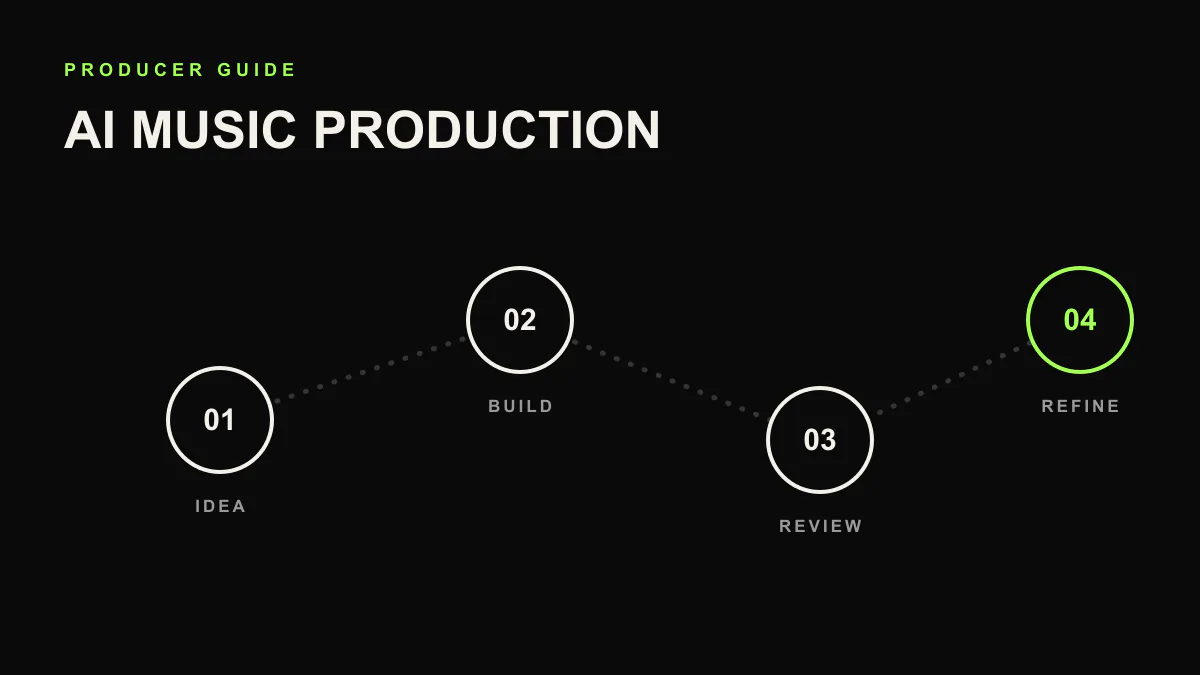
- You describe what you want: "Create a dark techno track at 130 BPM with a rolling bassline and industrial percussion."
- The assistant plans the session: It decides which tracks to create, which instruments to load, and how to structure the arrangement.
- The assistant executes in your DAW: Tracks appear, instruments load, MIDI clips are written, effects are applied.
- You review and iterate: "Make the kick punchier. Add more swing to the hi-hats. Drop the bass an octave in the breakdown."
Each instruction results in specific, visible changes in your session. Nothing is hidden. You can open any clip, any device, any automation lane and tweak it manually.
What Can AI Actually Do in Music Production?
AI isn't equally good at everything in music production. Here's an honest breakdown of where it excels and where it still falls short.
Where AI Excels
- Drum programming: Creating rhythmic patterns across genres is one of AI's strongest capabilities. From standard four-on-the-floor kicks to complex polyrhythmic patterns, AI assistants handle this quickly.
- Sound selection and loading: Instead of browsing through hundreds of presets, describe the sound you want. "Load a warm analog pad" or "Find a gritty distorted bass."
- Effect ideas: Setting up dynamic movement idea, parallel processing, send/return routing, and standard mixing chains.
- Arrangement scaffolding: Building the basic structure of a track (intro, verse, chorus, breakdown, drop) so you have a framework to work within.
- Repetitive tasks: Copying patterns across sections, setting up bus organization, creating automation curves for filter sweeps or volume rides.
Where Humans Still Lead
- Emotional nuance: The subtle velocity changes that make a piano part feel alive, the micro-timing that gives a groove its personality.
- Artistic vision: Deciding what a track should feel like, what story it tells, and when to break the rules.
- Final mix decisions decisions: While AI can set up a solid starting mix, the final 20% of mixing is deeply subjective.
- Sound design from scratch: Creating truly unique, never-heard-before sounds still requires human experimentation.
Practical AI Music Production Workflows
We tested AI across hundreds of sessions in 2026. Most experiments stalled at the demo stage. A handful kept shipping. Below are the three workflows producers actually keep open, sorted by how much creative control you retain.
1. The Blank Canvas Approach
Start with nothing. Describe a track idea and let the assistant sketch a first version. Then iterate heavily.
Best for: Overcoming writer's block, exploring unfamiliar genres, rapid prototyping.
Example prompt: "Build a minimal house track at 122 BPM. Tight kick, off-beat open hats, a deep sub bass that follows a simple two-note pattern, and a filtered Rhodes chord stab."
2. The Co-Producer Approach
You build the core idea (a chord progression, a melody, a groove), and the assistant fills in the rest. You handle the creative seed; AI handles the arrangement labor.
Best for: Experienced producers who want to move faster without losing their signature sound.
Example prompt: "I've got a 4-bar chord progression on Track 1. Add drums that complement this vibe, a bass that follows the root notes, and a counter-melody on a pluck synth."
3. The Assistant Approach
You produce normally but use AI for specific tasks: setting up effects, creating variations of a pattern, building out arrangement sections, or handling mix prep.
Best for: Producers who know exactly what they want but hate the tedious parts.
Example prompt: "dynamic movement idea the bass and the pad to the kick. Set up a return track with a ping-pong delay. Add a high-pass filter sweep on the breakdown."
Getting Started with AI Music Production
If you're ready to try AI-assisted production, here's the fastest path:
- Choose your approach. Decide if you want an AI generator (for quick audio output) or an AI assistant (for DAW integration and full control).
- Start small. Don't try to produce an entire album on day one. Use AI for one specific task in your next session: drum programming, effects setup, or arrangement.
- Iterate aggressively. The first output from any AI tool is a starting point, not a finished product. Refine, adjust, and put your stamp on it.
- Learn from the output. When an assistant sets up a dynamic movement idea or creates a drum pattern you like, examine how it did it. AI can be one of the best teaching tools available.
Try AI Music Production in Ableton Live
LIA is an AI music assistant that controls Ableton Live through natural language. Free to start, no credit card required.
Join the WaitlistCommon Concerns About AI in Music
Will AI Replace Producers?
No. AI tools shift what producers spend time on, but the creative vision, taste, and artistic judgment remain human. The producers who thrive will be those who use AI to amplify their ideas, not those who try to compete with it by doing everything manually.
Is AI-Assisted Music "Cheating"?
By this logic, drum machines, auto-tune, sample libraries, and DAWs themselves are all "cheating." Every generation of music technology has faced the same criticism. The tool doesn't make the art. The person using the tool does.
What About Copyright?
When you use an AI assistant that works inside your DAW, the output is MIDI data and plugin settings in your session. You own it the same way you own any project file. This is fundamentally different from AI-generated audio, where copyright questions remain more complex.
Where AI Music Production Is Heading
Three trends are shaping the near future of AI music production:
- Real-time collaboration. AI assistants will increasingly work in real time, responding to what you play and suggesting ideas as you jam. Think of it as having a session musician who never gets tired.
- Clear DAW boundaries. Today most AI assistants focus on one DAW. Treat other DAWs as waitlist workflows until direct integrations actually ship.
- Smarter context awareness. Future assistants will understand your entire session, not just individual instructions. They'll make suggestions based on what you've already built.
AI music production isn't a future concept anymore. It's a set of tools available today that are genuinely useful for producers at every level. The question isn't whether to use them, but how to use them in a way that amplifies your creative vision.
The best approach: stay curious, experiment, and remember that the goal of every tool is to help you make better music, faster.