
Ableton Live में AI MIDI generation
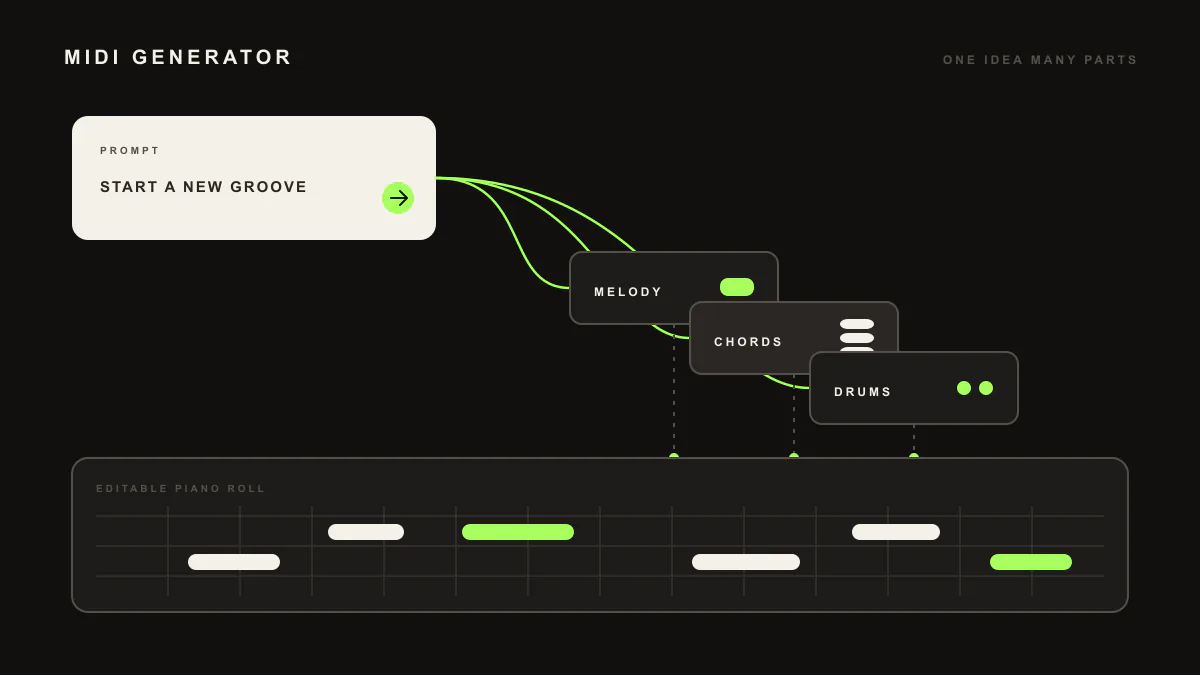
LIA साधारण भाषा को Ableton Live के अंदर editable MIDI में बदलता है, LIA Bridge के जरिए, वह छोटी helper app जो LIA को Ableton Live से जोड़ती है। Melodies, chords, basslines, drum patterns या पूरा beat माँगें, और notes एक clip में उतरते हैं जिसे आप खोलकर बदल सकते हैं।
Last updated:
LIA साधारण भाषा से आपकी Ableton Live session में editable MIDI लिखता है। बातचीत में या dedicated flow से माँगें, और notes एक clip में दिखते हैं जिसे आप audition और edit कर सकते हैं। LIA नए हैं? शुरुआत से शुरू करें, फिर LIA Bridge कनेक्ट करें, वह छोटी helper app जो LIA को Ableton Live से जोड़ती है, macOS या Windows पर।
यहाँ सब कुछ Ableton Live में LIA Bridge के जरिए macOS और Windows पर चलता है। काम करते समय Bridge connected रखें। आप browser से LIA से बात करते हैं, desktop या phone पर।
यह कैसे काम करता है
- Browser में LIA खोलें और macOS या Windows पर LIA Bridge को Ableton Live से कनेक्ट करें।
- साधारण भाषा में बताएँ क्या चाहिए, या bassline, drum pattern या पूरे beat के लिए dedicated flow चुनें।
- LIA genre profiles से idea को shape करता है और notes को editable MIDI के रूप में आपकी session की clip में लिखता है।
- Clip खोलें, audition करें, और note by note edit करें। Variations माँगकर idea को उसी जगह दोबारा गढ़ें।
- Tracks बनाएँ और material जहाँ चाहिए वहाँ load करें, फिर arrangement खुद बनाते रहें।
उदाहरण prompts
"Write a warm lo-fi chord progression in E flat minor and a melody over it"आपको chords और lead line वाले MIDI clips देता है, audition और edit के लिए तैयार।"Build a driving techno beat around 128 BPM"editable MIDI के रूप में beat देता है, drums, bass, pad और lead grid पर clips में लिखे हुए।
ज़रूरत: macOS या Windows पर Ableton Live से जुड़ा LIA Bridge। बातचीत के जरिए MIDI generation Free trial और हर paid plan पर उपलब्ध है। Free में कुल 10 trial productions शामिल हैं। Free, Starter, Pro, Studio, Studio Max और Founder के लिए pricing देखें।
एक ईमानदार सीमा
LIA MIDI लिखता और edit करता है। यह किसी भी तरह का audio export नहीं करता, और Arrangement view में clips को rearrange या resize नहीं करता। Notes आपकी session में उतरते हैं ताकि आप उन्हें अपने instruments से voice करें और अपने हिसाब से arrange करें।
संबंधित गाइड्स
Dedicated flows देखें: basslines, drum patterns और beat builder। बातचीत में melodies और chords के लिए देखें melody generation और chord progressions। पूरा कैटलॉग commands में है।
अक्सर पूछे जाने वाले सवाल
क्या LIA audio generate करता है या MIDI?
LIA editable MIDI generate करता है, कोई तैयार audio file नहीं। आपको notes, chords, basslines और drum patterns एक clip में मिलते हैं जिसे आप Ableton Live के अंदर देख और बदल सकते हैं, फिर अपने instruments और kits से voice कर सकते हैं।
क्या मैं वह edit कर सकता हूँ जो LIA generate करता है?
हाँ। सब कुछ clip में MIDI के रूप में आता है, इसलिए आप notes हटा, जोड़ या मूव कर सकते हैं, velocities बदल सकते हैं, और बातचीत में refine करते रह सकते हैं। Variations माँगने पर LIA idea को उसी जगह दोबारा गढ़ता है।
LIA क्या generate कर सकता है?
Drum patterns, basslines और पूरे beats के लिए dedicated flows हैं, और melodies तथा chord progressions बातचीत के जरिए आते हैं, साथ ही beat की lead और pad layers के रूप में। Genre profiles हर idea को shape करते हैं।
क्या मुझे LIA Bridge चाहिए?
हाँ, ताकि MIDI आपकी session में उतरे। LIA Bridge macOS और Windows पर LIA को Ableton Live से जोड़ता है। आप browser से LIA से बात करते हैं, desktop या phone पर, और notes connected session में लिख जाते हैं।
यह किन DAWs के साथ काम करता है?
MIDI generation आज Ableton Live में लिखता है, LIA Bridge के जरिए macOS और Windows पर। दूसरे DAWs के लिए support waitlist पर है, इसलिए आप interest register कर सकते हैं और उपलब्ध होने पर हम बताएँगे।
आगे: शुरुआत में सेटअप करें, पूरा command catalog देखें, या pricing पर plans तुलना करें।